
 Coming soon
VinylEQ
Fine-tune your sound. Keep its character.
At launch: 7 days free, then €3.00 / month.
Prices and availability may vary by region. TermsSubscriptionsPrivacy choices · App privacy
A closer look, on screen.
Explore VinylEQ.
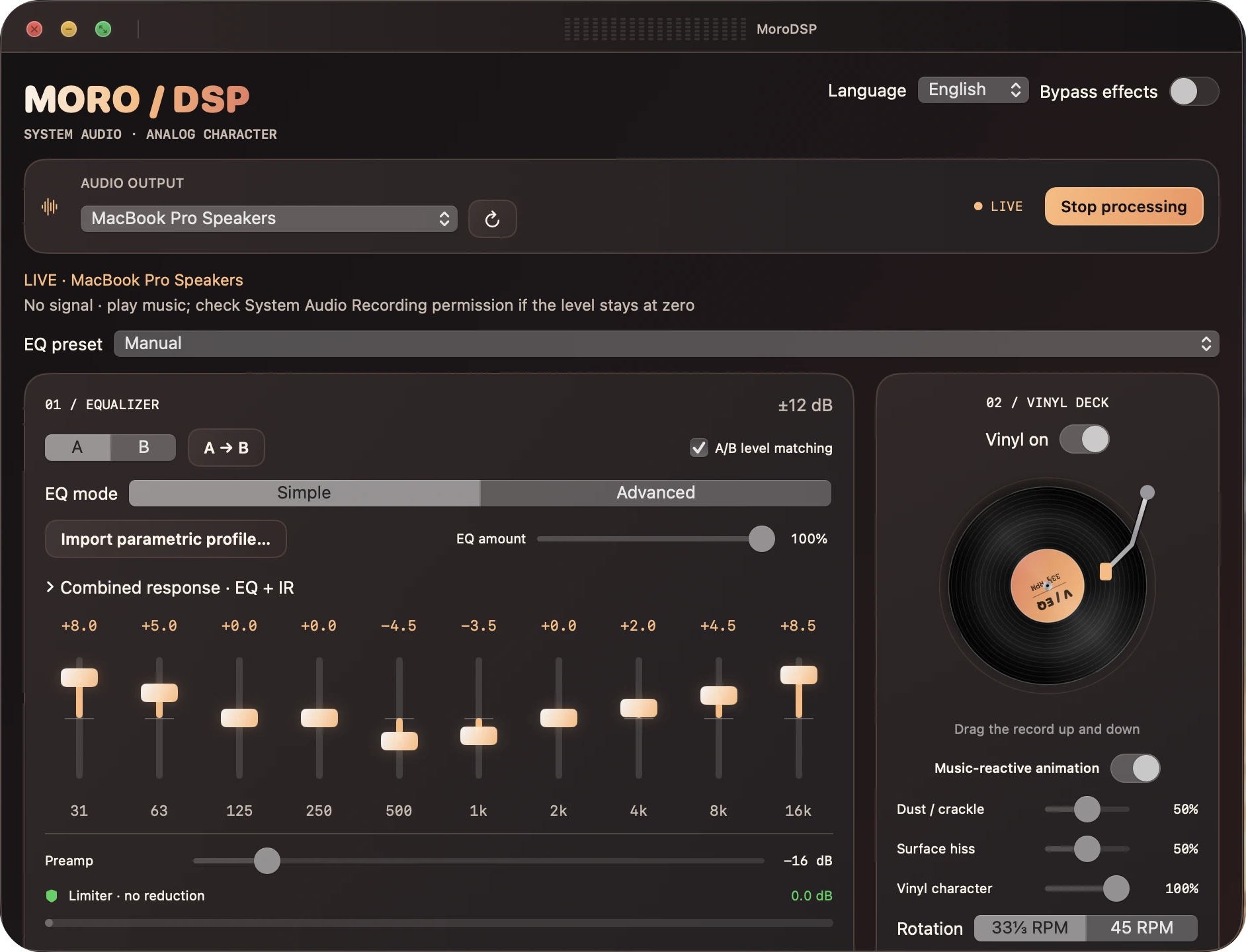
Shape the sound your way
Adjust ten bands, preamp and limiter controls, compare A/B settings and explore vinyl character.
A starting point for every mood
Browse presets and keep sound profiles ready for your next listening session.
Keep your settings together
Explore the audio profile workspace alongside the equalizer controls.
Choose your listening setup
Keep profile options and audio output selection within reach.
Small window, useful controls
Adjust output, volume, presets and processing from the compact menu.
Meet VinylEQ.
Shape your listening experience with a ten-band equalizer, preamp and limiter controls. Adjust the balance of your sound, compare A/B settings and explore vinyl character controls from one workspace.
A starting point, then your own touch
Browse the preset library or adjust individual bands to suit what you are listening to. Keep profiles and output choices together so your preferred settings are easy to find.
Quick adjustments, fewer interruptions
The compact menu brings output, volume, presets and processing controls within reach when you do not need the full editor open.
Questions you might have.
What can I adjust in VinylEQ?
The interface includes ten equalizer bands, preamp and limiter controls, A/B comparison, presets and vinyl character controls.
Do I need to keep the full editor open?
The compact menu gives quick access to output selection, volume, presets and processing controls. Use the full editor for more detailed adjustments.
Why does macOS ask for audio access?
System-audio processing needs the relevant macOS audio-recording permission. You can review and manage that access in System Settings.
Can I keep different sound settings?
Use the preset library and sound profiles to organize settings for different listening preferences.